
Viewing History in MyChart
MyChart includes your medical and family history. Follow these instructions to view this history.
Step 1
Log into MyChart and click the menu button, which has three horizontal lines.
Step 2
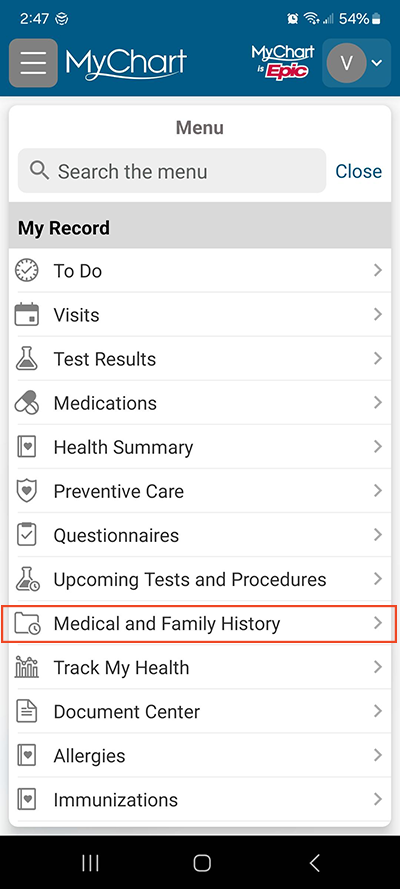
Under the header My Record, select Medical and Family History.
Step 3
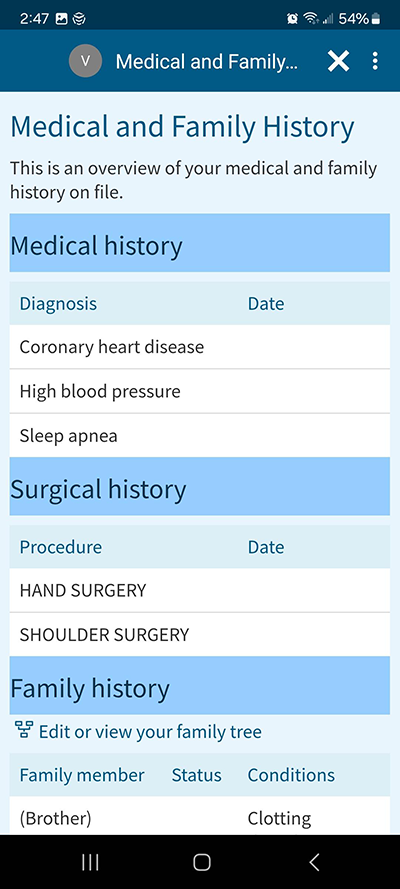
MyChart will show the medical, surgical and family history on file.
Questions?
If you need additional support using your MyChart account, email us at [email protected] or call our MyChart patient support line at 877-701-6088.