
View Documents in MyChart
Follow these instructions to view documents in MyChart, such as the patient agreement or short health summary.
Accessing Documents in MyChart
Step 1
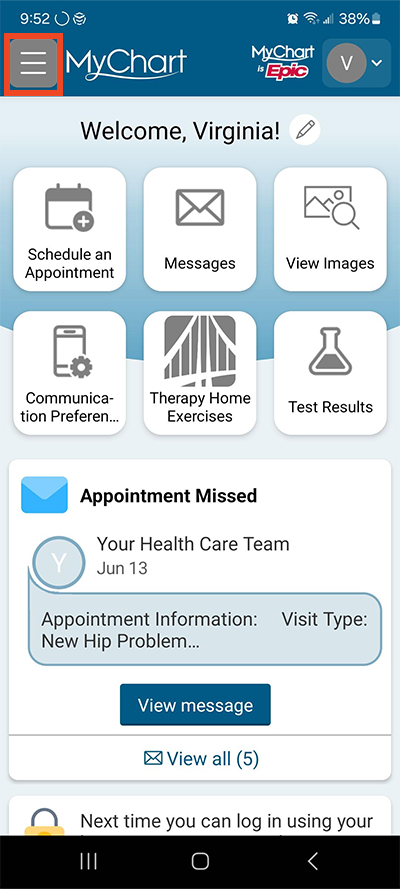
Log in to MyChart. Select the menu button in the top left, made up of three horizontal bars.
Step 2
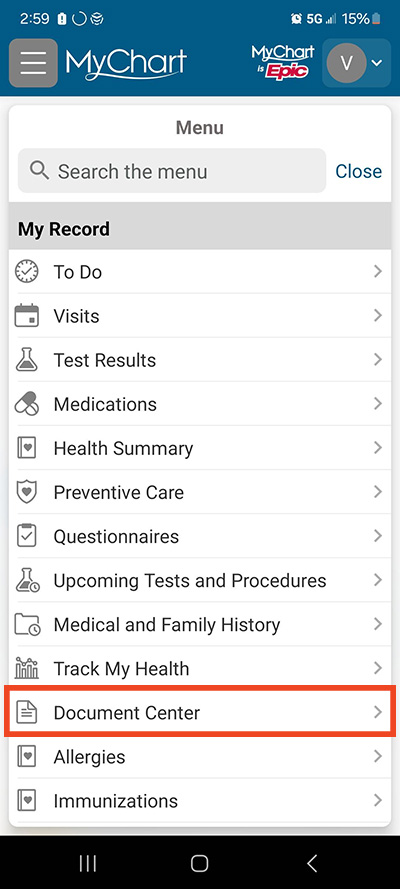
Under My Record, select Document Center.
Step 3
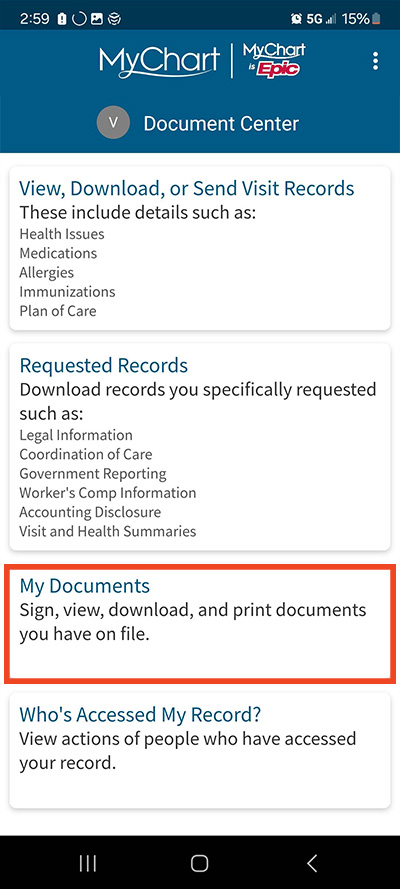
Select the type of document you want to view.
Step 4
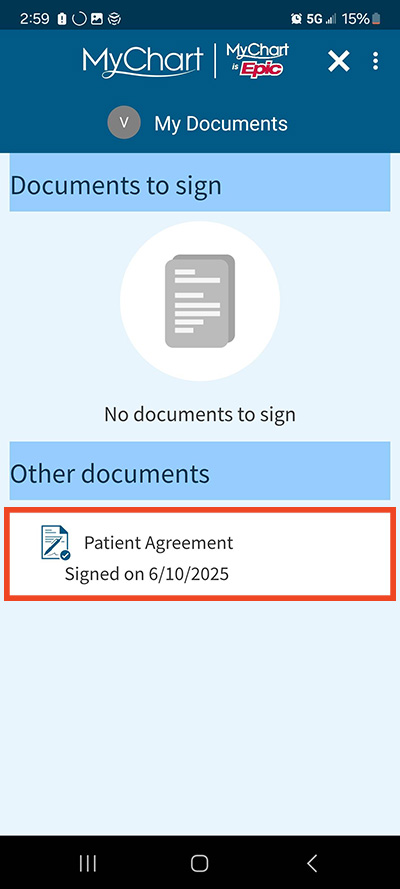
Click on a document to view it.
Step 5
You can also download the document while viewing it.
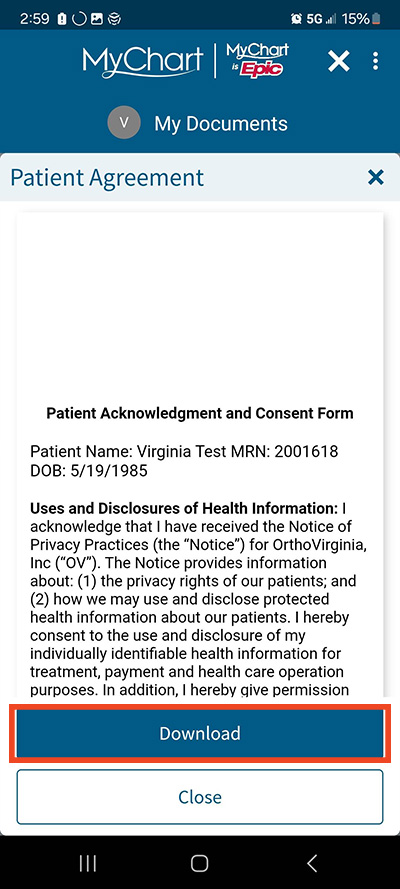
Step 6
To view visit records, select View Download or Send Visit Records in Step 3 and then select the visit you want to view the records for.
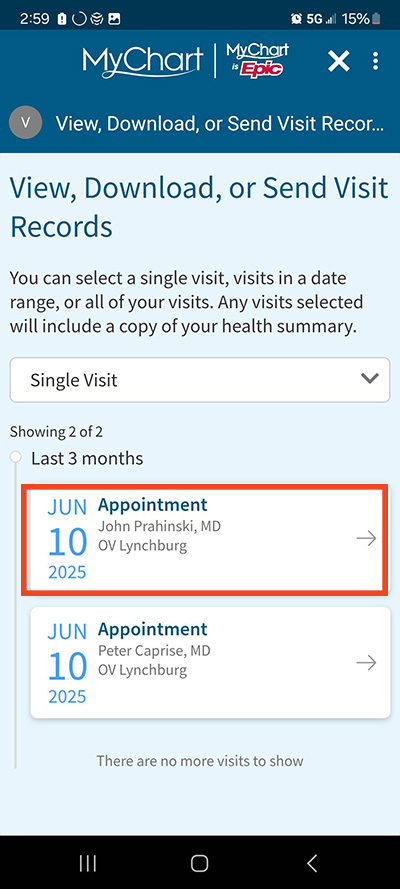
Step 7
Select a document to preview.
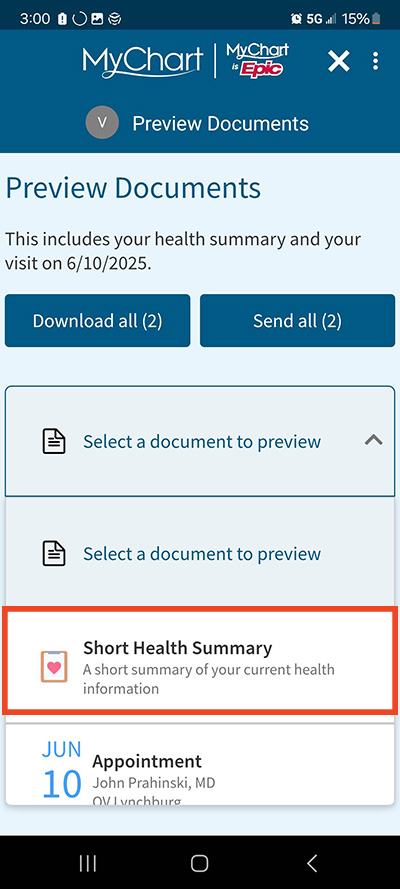
Step 8
A preview appears below the document title. Scroll down to view the whole document.
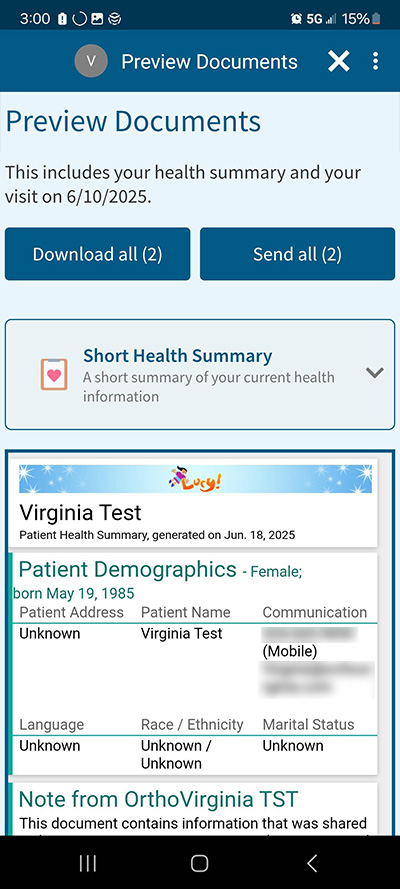
Questions?
If you need additional support using your MyChart account, email us at [email protected] or call our MyChart patient support line at 877-701-6088.