
View Clinical Notes in MyChart
Follow these instructions to view the clinical notes from your provider in MyChart.
View Clinical Notes
Step 1
Log into MyChart.
Step 2
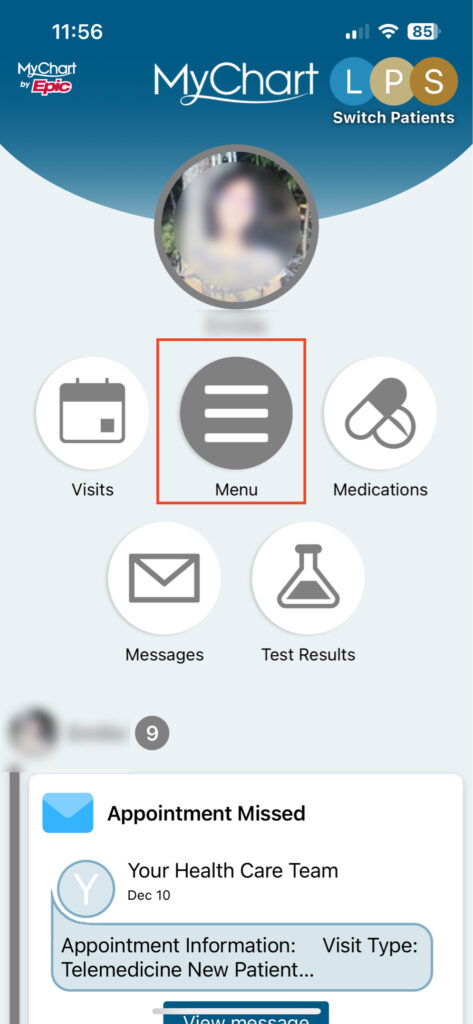
Tap on the button with the three lines (app) or click the Menu button (desktop) to open up the menu.
Step 3
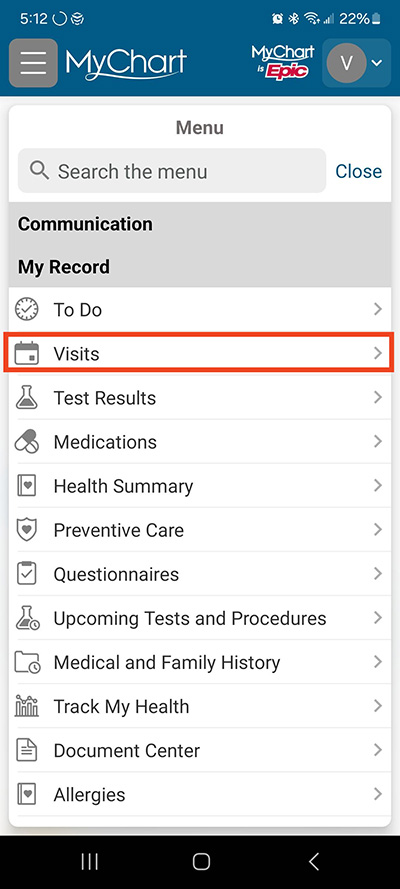
Under My Record, select Visits.
Step 4
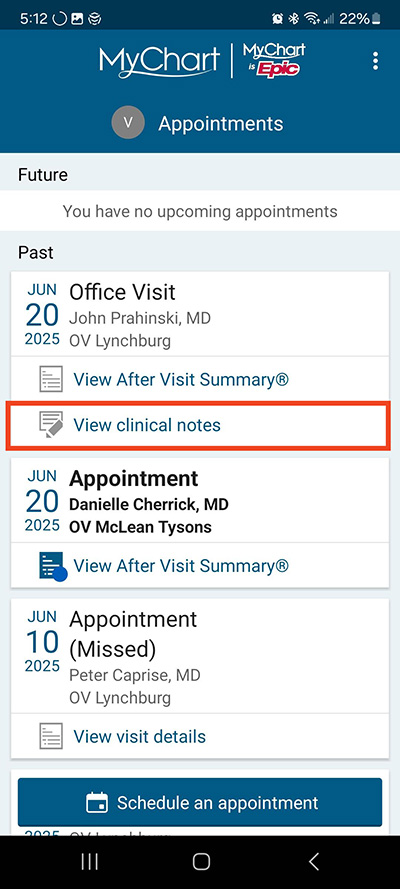
You will see past visits. Under the visit you want to see clinical notes for, select View clinical notes.
Step 5
The notes will appear.

Questions?
If you need additional support using your MyChart account, email us at [email protected] or call our MyChart patient support line at 877-701-6088.