
Request Medical Records in MyChart
Medical records from the past five years are available at any time on MyChart. For medical records before five years ago, or to have a third party request records, please follow the request links on the Medical Records page.
Instructions to Request Medical Records in MyChart
Step 1
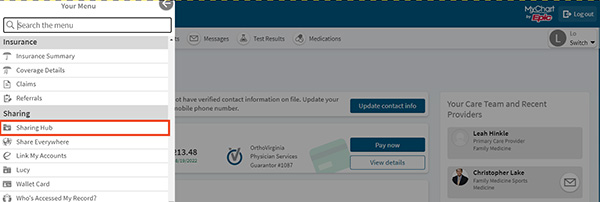
Log into MyChart and select the menu.

Step 2
Under the menu, choose Sharing Hub.
Step 3
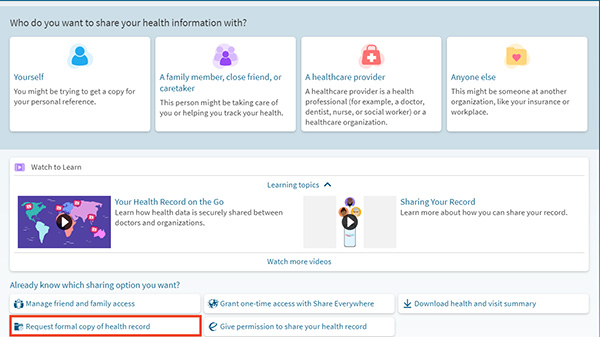
Select Request formal copy of health record.
Step 4
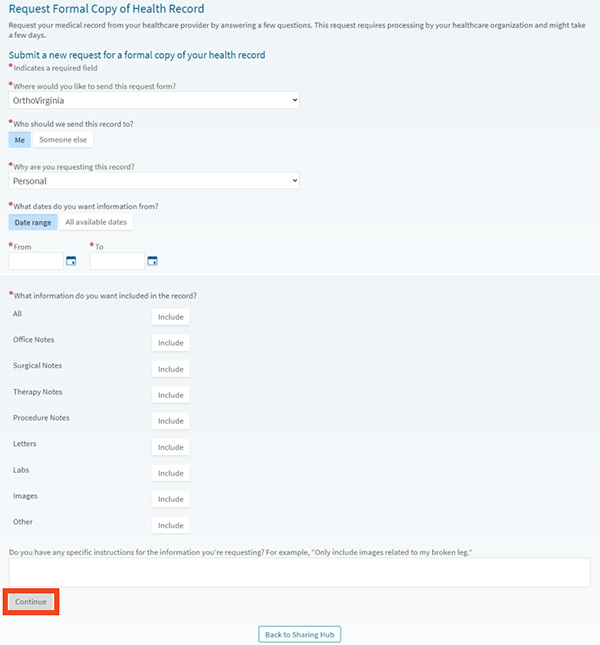
Fill out the form then click Continue. All fields with a red asterisk need to be filled out.
Step 5
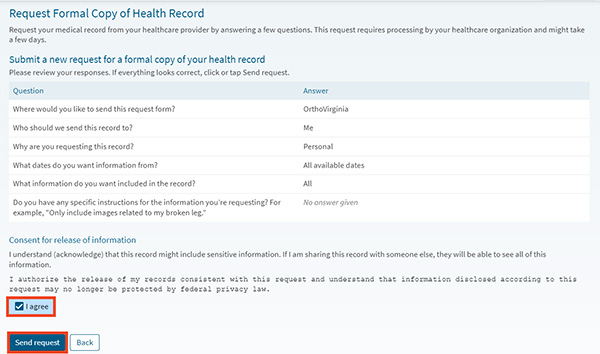
Review the request, click the checkbox next to “I agree” then click Send request.
Step 6
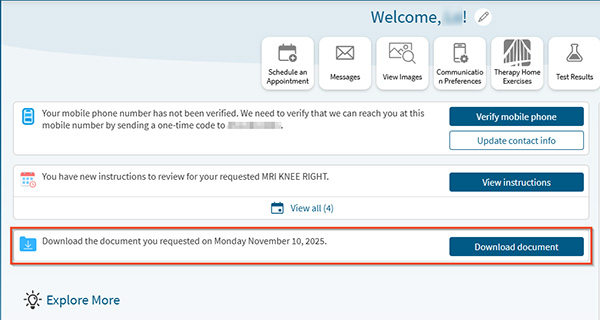
If you have email notifications on for your MyChart account, you will receive an email notification when your records are ready. There will also be a notification on the MyChart homepage. Most people will receive the notification within an hour.
If you do not receive a notification with an hour, there may be something pending in your record. In that case, staff will manually review and release your medical records.
Step 7
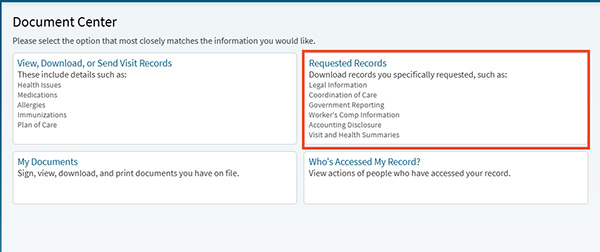
In MyChart, click the notification on the homepage or go to the Menu and then choose Document Center and Requested Records.
Step 8
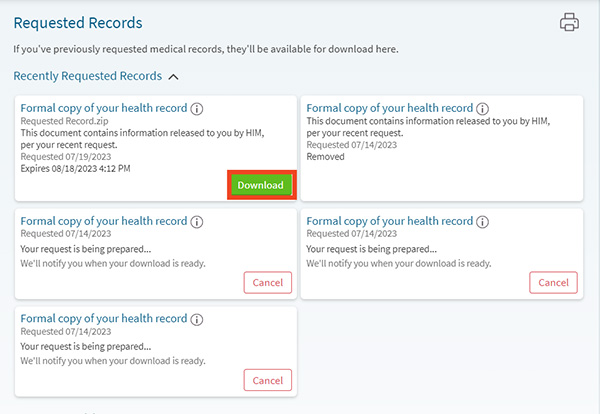
From Requested Records, you can see the list of pending requests or download a completed request.
Questions?
If you need additional support using your MyChart account, email us at [email protected] or call our MyChart patient support line at 877-701-6088.